
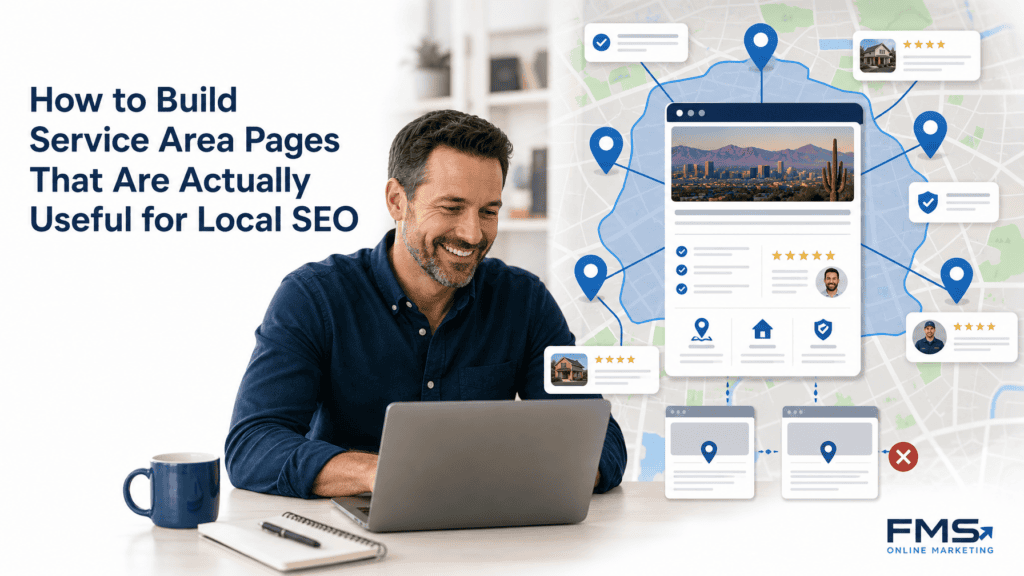
A service area page deserves its own URL when a business genuinely serves that place, can add location-specific proof and useful details, and gives visitors a clear next step. Do not publish city pages that only swap a city name into a template. A useful page explains the service, proves coverage, answers local questions, links to relevant services, and makes contact easy. Google’s spam policies specifically warn against substantially similar regional pages that funnel users to a less useful destination.
Your business serves several cities, but your website only talks about your home market. You know you should probably have pages for those other areas, but you are not sure whether to build one page per city, group them together, or just skip it.
That uncertainty is reasonable. The real question is not how many pages to create. It is whether each page can provide something genuinely useful to a visitor in that specific city.
The goal here is a smaller set of pages that are true, locally useful, easy to navigate, and connected to a real business action. More URLs without more evidence rarely helps.
What is a service area page, and how is it different from a location page?
These two page types are commonly confused, and the distinction matters for how you build them.

A service area page represents a place the business serves without claiming a customer-facing office or storefront there. A location page represents a physical address that customers can actually visit. A business may need both types, but they serve different purposes and require different proof.
| Feature | Service Area Page | Location Page |
|---|---|---|
| Physical presence required | No | Yes |
| Primary purpose | Show coverage in the area | Represent a visited storefront or office |
| Proof required | Verified service delivery, reviews, project evidence | Address, hours, photos, staff |
| Google Business Profile | One profile covers the service area | Separate profile per physical location |
| Fake address acceptable | Never | Never |

According to Google Business Profile guidance (checked September 2026), service-area businesses can define up to 20 service areas using cities, postal codes, or other recognized areas, and the overall area should stay within roughly two hours of driving time from where the business is based. That limit applies to your Google Business Profile, not to how many pages your site can publish, but it does help calibrate realistic operational coverage.
BrightLocal and Backlinko both distinguish service area pages from physical location pages in their local SEO guidance. The operational difference is that a service area page must communicate what changes for the customer in that area, not just assert that the business is available there.
When does a service area deserve its own URL?
Publishing a city page is a business decision, not just a content decision. I recommend starting with the cities where the business already has verifiable work or demonstrated customer demand.
Before creating a standalone page, run through these five questions:
- Do people in that city search for this service? Use Google Search Console, call records, or keyword research to confirm demand exists, not just that the geography is nearby.
- Does the business want more work in that area? Travel costs, dispatch logistics, and margin all matter. A page that generates leads the business cannot profitably fulfill is not a win.
- Can the business prove it serves the area? Confirmed job locations, customer addresses, or business-owner confirmation should back this up.
- Can the page say something genuinely different? Verified local details, neighborhood-specific information, real project evidence, or area-relevant service conditions count. A city name in the title does not.
- Can the page produce a clear next action? Phone call, form submission, or booking. If the conversion path does not work, the page has no real function.
This qualification approach is supported by RicketyRoo’s framework for service area pages, which emphasizes proof and conversion usefulness over geographic ambition.
Decision table: publish, combine, or wait?
| Situation | Recommendation |
|---|---|
| Genuine service delivery + local proof + demand + conversion path | Publish a standalone city page |
| Some service delivery, limited local proof, low demand | Combine under a regional or service hub page |
| No confirmed service delivery or no local proof | Wait until coverage and evidence are in place |
| Repeat of another page with only the city name changed | Do not publish; consolidate instead |
Do you genuinely serve customers in the area?
There is a real difference between a city your vans could theoretically reach and a city where you have completed work for real customers. A service area page built on aspirational coverage, not documented coverage, is the kind of page that creates doorway-risk without delivering value.
Use dispatch records, CRM data, confirmed customer locations, or a direct conversation with the business owner to verify active coverage before writing a word.
Can the page provide local proof and useful differences?
The city name alone is not a differentiator. Useful differences include verified services available in that area, completed projects with customer permission, real reviews that mention the city or neighborhood, scheduling or availability information specific to that location, or local conditions that affect how the service is delivered.
If none of those exist yet, the page cannot be meaningfully different from the parent service page.
When should you use a regional page instead?
A regional page is the right choice when the business serves several nearby cities but lacks enough evidence for individual standalone pages, the service does not vary by city, or standalone pages would repeat the parent page with only the location name changed.
A regional page covering a metro area or county can consolidate relevant content without creating a directory of near-duplicates. Fewer pages with higher usefulness is almost always preferable to a large set of thin ones.
What should a genuinely useful local SEO landing page include?
A useful service area page answers four questions a visitor has the moment they arrive: What do you do? Do you serve my area? Can I trust you? How do I take the next step?
Every section of the page should contribute to at least one of those answers.
What should appear above the fold?
The first screen should communicate the service, the coverage area, and the next action clearly, even on mobile. This means:
- A headline that names the service and the city or area naturally
- A short statement confirming the business serves that location
- A visible phone number or primary CTA button
- No large decorative hero that pushes the actual service information below the first scroll
Do not bury the coverage statement behind a paragraph of company history. The visitor arrived because they have a specific need in a specific place. Answer that first.
Which local details strengthen the page?
Include only details that affect customer decisions. These might include:
- Neighborhoods or ZIP codes actually served within the city
- Services available in that area versus services that require a different location
- Local availability or scheduling constraints, when accurate
- Common service questions or conditions relevant to the area, based on business records
- Verified project types completed nearby, with customer permission
Do not add city history, generic climate descriptions, or random local landmarks simply to create the appearance of uniqueness. Those additions do not help the visitor and tend to signal filler to search engines.
What proof belongs on a service area page?
Proof must be real and verifiable. Acceptable types include:
- Approved customer testimonials or reviews mentioning the city or service
- Original job photos from projects in or near that area, with permission
- Service records or project counts that can be confirmed
- Licensing, insurance, or certification information, verified with the issuing body
- Coverage statements from the business owner that accurately describe the service boundary
If none of these are available yet, say so honestly and recommend a regional page until evidence exists. Manufacturing proof is worse than admitting its absence.
How should local FAQs support the page?
FAQs work when they reflect genuine customer questions about the specific service and area. Each question should start with a direct answer and avoid repeating what the main content already explained.
Good FAQ topics for a service area page include scheduling and availability, what the service includes in that market, how to get a quote, what happens if the business cannot respond immediately, and any area-specific service conditions.
Do not create FAQs only to qualify for FAQ schema. Schema should represent useful visible content, not be the reason the content exists.
How do you avoid thin city pages and doorway abuse?
Google’s spam policies define doorway abuse as similar or duplicate pages created to rank for specific queries that then funnel users to a less useful destination. Scaled content abuse covers large quantities of low-value pages produced primarily to manipulate search visibility.

A page per city is not automatically a doorway page. The issue is when pages are substantially similar, provide no genuine local information, and exist only to capture a search query rather than to help a real visitor.
A practical substitution test: remove the city name from the page. If it still reads exactly the same as every other city page, it needs more local evidence or should be consolidated.
| Pattern | Risk level |
|---|---|
| City-name swap with identical body copy | High. Matches scaled content abuse pattern. |
| Fake local address or unverified storefront claim | High. Violates Google Business Profile guidelines. |
| Keyword stuffing in title, H1, and meta | Moderate. Signals manipulation over usefulness. |
| Thin content with no local proof | Moderate to high. Likely ignored or consolidated by Google. |
| Genuine coverage + unique local evidence + conversion path | Low. The page serves a real user need. |
The goal is that removing the city from the URL would leave a page that still makes sense, because the local details are woven throughout, not bolted on.
How should service area pages fit into site architecture?
A clear hierarchy prevents isolated pages and helps visitors navigate between the service, the area, and the action. A workable structure looks like this:
- Core service page (what the business does)
- Regional or service-area hub (covering a metro, county, or multi-city area)
- City-level service area pages (specific cities with verified coverage and proof)
- Contact or quote page (the conversion endpoint)
This structure gives each city page a clear parent and makes it findable from the service hub. It also keeps Google Business Profile information consistent by linking relevant pages to the profile without implying a physical office where none exists.
For businesses working on a broader local SEO services strategy, this architecture is one of the most important decisions to get right early. Restructuring a large set of orphaned city pages after the fact is significantly more work than building the hierarchy correctly from the start.
Which internal links should each page receive?
Each service area page should receive contextual links from:
- The relevant service-area hub or regional page
- The core service page that covers the same type of work
- Related educational resources when they address a question specific to the area
- The contact or quote page, using anchors that describe the action
Use anchors that name the service and location, such as plumbing services in Mesa or HVAC repair in Chandler. Avoid generic anchors like click here or learn more. Do not link every city page to every other city page; that creates navigation noise without helping the visitor.
Should a service area page use LocalBusiness schema?
LocalBusiness schema is conditional, not automatic. According to Google’s LocalBusiness structured data documentation, the markup must accurately represent visible business information on the page and pass validation through the Rich Results Test.

Do not add a separate LocalBusiness entity for every city you serve if those entities do not correspond to actual business locations with accurate addresses. Using schema to imply a physical office that does not exist is misleading and inconsistent with Google’s guidance.
If the business has a real verified location and the page represents that location, schema is appropriate and useful. If the page represents a service area without a physical address, be precise about what the markup declares.
How do you build a service area page step by step?
Here is a repeatable workflow that puts evidence collection before copywriting:

1. Select the market using business data.
Pull from Google Search Console, CRM, call records, or keyword research. Prioritize cities where demand and coverage overlap.
2. Confirm genuine service delivery.
Verify through dispatch records, job logs, or business-owner confirmation. Do not assume coverage from a map radius.
3. Collect local evidence.
Gather approved customer testimonials, original job photos, service boundaries, common customer questions, and any area-specific service conditions.
4. Map the search intent and customer questions.
Identify what a person in that city actually asks before hiring this type of business. Match the page to those questions.
5. Choose the URL structure.
Decide whether the page is a city page (/plumbing-mesa/), a service-city page (/water-heater-repair-mesa/), or a regional hub (/plumbing-east-valley/). Pick the level that fits the available evidence.
6. Draft the unique local modules first.
Write the sections that can only apply to that city: neighborhoods served, verified project types, local scheduling information, and area-specific customer questions. Fill these before writing shared company content.
7. Add consistent company information.
Service descriptions, credentials, and company details that apply to the whole business can be shared across pages, but they should not be the only content.
8. Add proof and conversion paths.
Place approved testimonials and photos. Confirm the phone number, form, and booking path work on mobile.
9. Add internal links and appropriate schema.
Link to the hub, the service page, and the contact page. Implement schema only when it accurately represents visible information.
10. Run a truth, policy, and technical QA pass.
Verify every claim against the evidence collected in step three. Check indexability, canonical tag, mobile rendering, and live link status.
What evidence should you collect before writing?
Before drafting, gather:
- Confirmed job locations or customer addresses in that city
- Approved review excerpts that mention the area
- Original photos from nearby projects, with permission
- Available services specific to that location
- Business hours, contact methods, and scheduling constraints
- Existing internal URLs that should link to this new page
- Any credentials, licenses, or insurance that apply in that jurisdiction
Mark unavailable inputs as gaps. Do not fill gaps with assumptions or generic copy.
How should you measure whether the page is useful?
Track indexing status, impressions, clicks, click-through rate, query match, phone calls, form submissions, and assisted conversions via Google Search Console and your analytics platform. Rankings are one signal, not the primary success measure.
If the page earns impressions for the right queries but generates no calls, the conversion path or proof may need improvement. If it earns no impressions at all after 60 days, check indexability, canonical tags, and whether the page is internally linked from relevant pages.
How can service area pages support AI citations and conversions?
AI systems such as Google AI Overviews, ChatGPT, Perplexity, and Gemini are more likely to understand and surface pages that define their topic clearly, answer questions directly, name entities consistently, and show evidence for their claims.
For a service area page, that means:
- A headline and opening paragraph that name the service and location explicitly
- A direct statement of what the business does and who it serves in that area
- Visible, attributable proof such as reviews or project descriptions, not vague testimonials
- Local FAQs with direct answer sentences, not lengthy explanations
- Consistent use of the business name, service type, and city name throughout
- Clear source attribution for any external claims
None of this guarantees a citation in any AI platform, and I would be skeptical of any claim that it does. What it does is make the page genuinely more useful to a human reader, which is the same quality that answer systems try to identify and surface.
The conversion path matters here too. Google Business Profile optimization alignment with the page’s entity information helps both visitors and search systems confirm that the business is real, credible, and reachable. A page that answers every question but hides the phone number behind three clicks is not a useful destination.
What does a useful local landing page look like?
The following is a hypothetical template. No real company, address, customer, review, or project result is implied.

H1: [Service Type] in [City Name]
Above the fold: [Business Name] provides [service] to residential and commercial customers in [City] and surrounding neighborhoods including [Neighborhood A] and [Neighborhood B]. Call [phone] or request a quote below.
Services available here: [List of services confirmed for this location]
Local proof module: [Approved testimonial from a customer in or near this city, with permission. Original photo from a project in this area.]
Area-specific details: [Scheduling information relevant to this city. Any service conditions specific to this market, based on confirmed business records.]
Local FAQ:
- How quickly can you respond in [City]? [Direct answer based on confirmed operations.]
- Do you service [specific neighborhood]? [Direct answer.]
- What does [service] cost in [City]? [Transparent answer or direction to get a quote.]
CTA: Call [phone] or [Request a free quote] / [Book a service visit]
Internal links: [Core service page] | [Nearby city hub] | [Contact page]
Each module above exists because it directly answers a visitor question. The local proof module is the most important and the most commonly left empty. Without it, the page is a template, not a page.
When are service area pages not the right fit?
Most guides push businesses toward more city pages. The honest answer is that more pages are not always better.
Do not create a standalone service area page when:
- The business does not currently serve that city and has no confirmed plans to do so
- No local proof exists and none is likely to be collected soon
- The business does not want more work in that area, whether due to margin, travel, or capacity
- The new page would repeat the content of an existing page without adding anything specific
- The city has no meaningful standalone search demand based on available data
In those cases, a stronger option is a regional page that covers a metro or multi-city area honestly, a stronger service page that explains the full scope of the business, a physical location page for actual storefronts or offices, or simply no new page until the evidence exists.
Google’s guidance on truthful business representation, confirmed through Google Business Profile Help, makes clear that service-area businesses should represent their coverage accurately. Publishing pages for areas the business does not genuinely serve is a misrepresentation, not a growth strategy.
Frequently asked questions about service area pages
What is a service area page?
A service area page is a webpage describing the service a business provides in a defined geographic area. It differs from a physical location page in that it does not require or imply a customer-facing storefront or office at that address.
Should every city have its own service area page?
No. Each city needs confirmed coverage, meaningful local evidence, a business reason for targeting it, and a distinct user need. Cities that do not meet those criteria are better covered by a regional page or not covered by a separate URL at all.
Are service area pages doorway pages?
Service area pages are not automatically doorway pages. The risk arises when pages are substantially similar, provide no genuine local information, and exist primarily to funnel users to a single less-useful destination. Google’s spam policies address this pattern specifically.
What should a service area page include?
A useful service area page should explain the service, confirm coverage, add local relevance, include verified proof, answer area-specific questions, and provide a clear next step. Business-specific proof must be verified before publication, not invented after.
How do I make city pages unique?
Make each page useful by including facts and evidence that are genuinely true for that area: completed work, customer reviews, neighborhoods served, scheduling details, and local service conditions. City-name substitutions and generic landmarks do not create meaningful uniqueness.
Can a business rank in a city without an office there?
A business can create a service area page for a city without claiming a physical office there, provided it genuinely serves the area and communicates that honestly. Whether a page ranks depends on many factors, and no outcome can be promised.
Should a service area page include a Google Map?
A map is optional and useful only when it helps visitors understand coverage or find a real business location. Do not embed a map to imply a storefront that does not exist. For service-area businesses, a coverage description is usually more honest and practical.
Does LocalBusiness schema improve service area page rankings?
LocalBusiness schema does not guarantee higher rankings. According to Google’s structured data documentation, markup should accurately represent visible business information and be validated before deployment. Schema helps Google classify the page; it does not substitute for useful content.
Next steps for building useful service area pages
Before you build or expand your city-page set, run through this short checklist:

- Confirm the business genuinely serves the market with documented coverage
- Confirm there is a business reason and a customer need that justifies a standalone page
- Collect local proof before drafting: reviews, job records, photos, or confirmed service boundaries
- Audit existing city pages and consolidate any that cannot be meaningfully different from the parent page
This guide is educational. FMS Online Marketing may help businesses plan and implement localized SEO content, but the right page structure depends on verified coverage, evidence, and business goals.
If you want an outside perspective on your current site architecture or are not sure which cities deserve their own page, you can request a local SEO strategy session to review what you have and where the real opportunities are.
Useful service area pages document a real service market and give visitors a clear path to act. That principle does not change regardless of how many cities a business serves.


